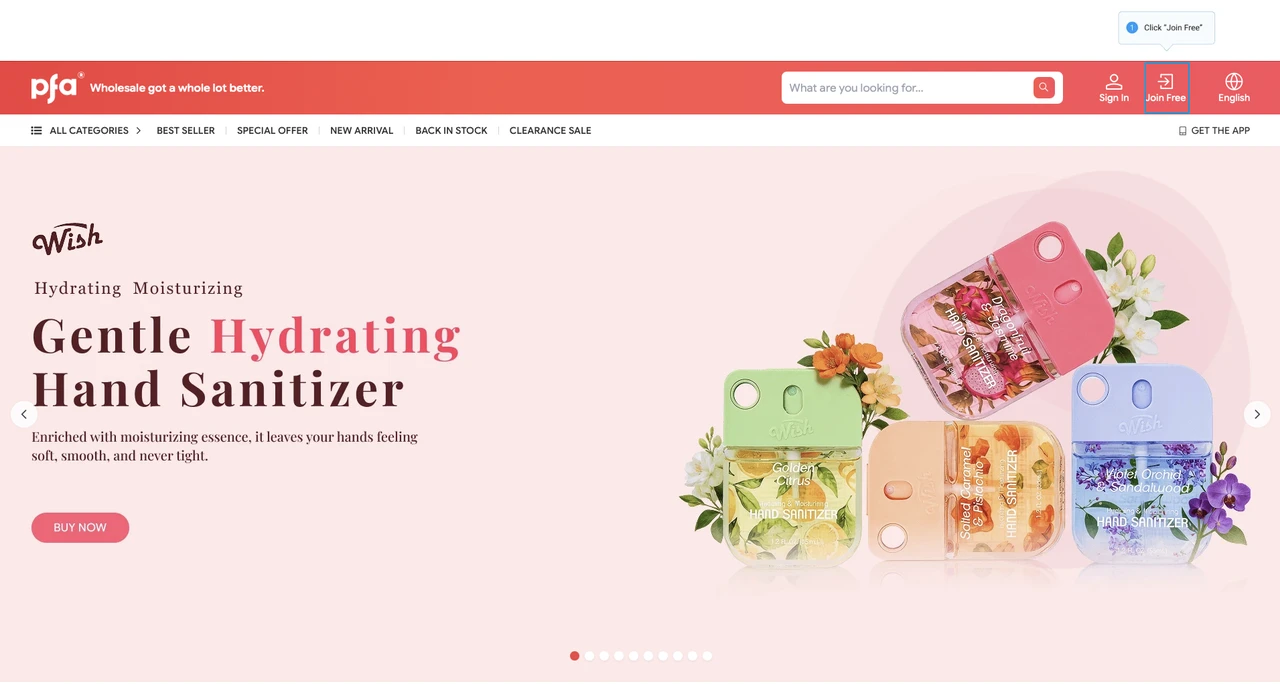
Step 1: Click "JOIN FREE" on the homepage.
Step 2: Fill out all the information below
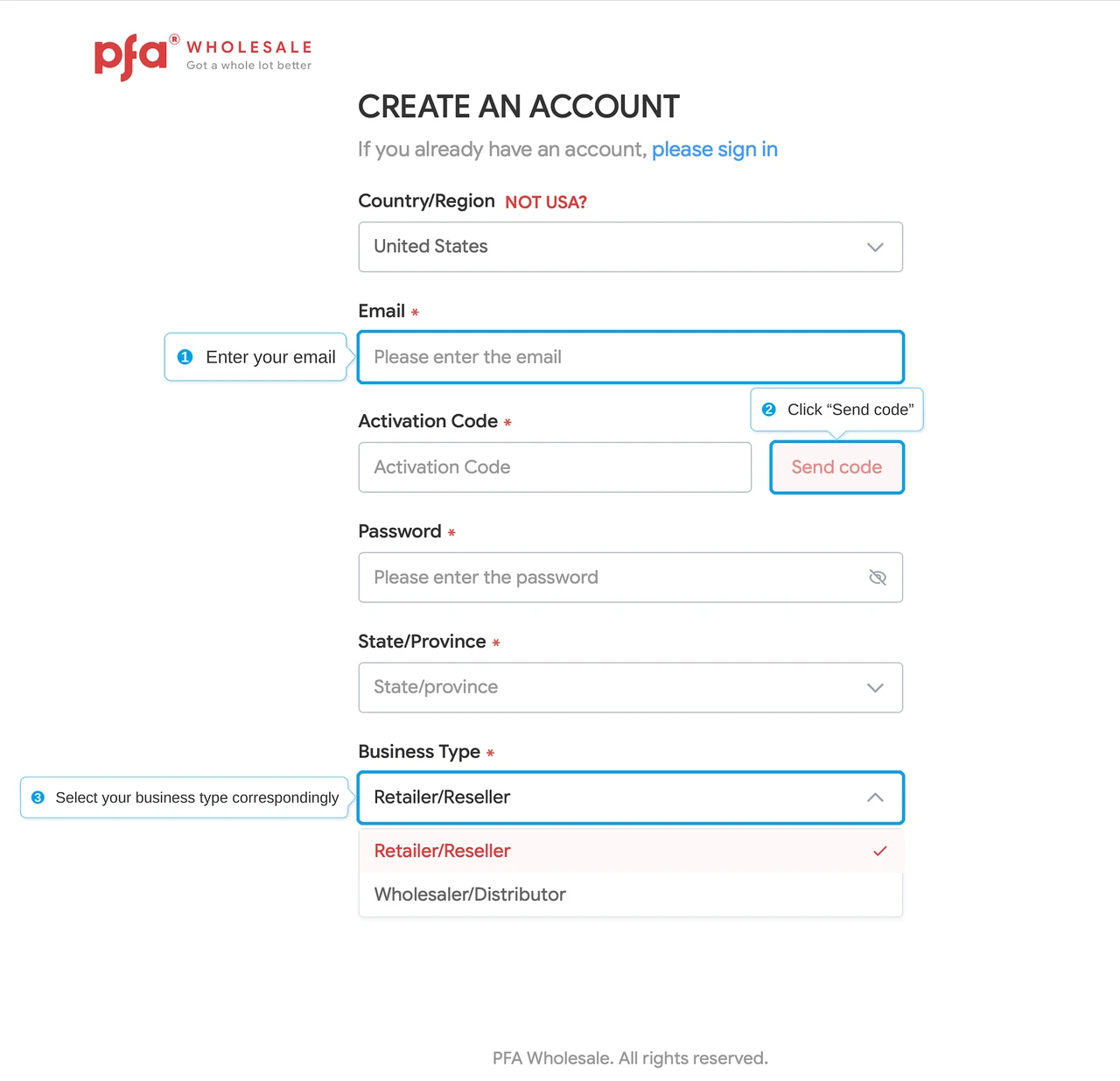
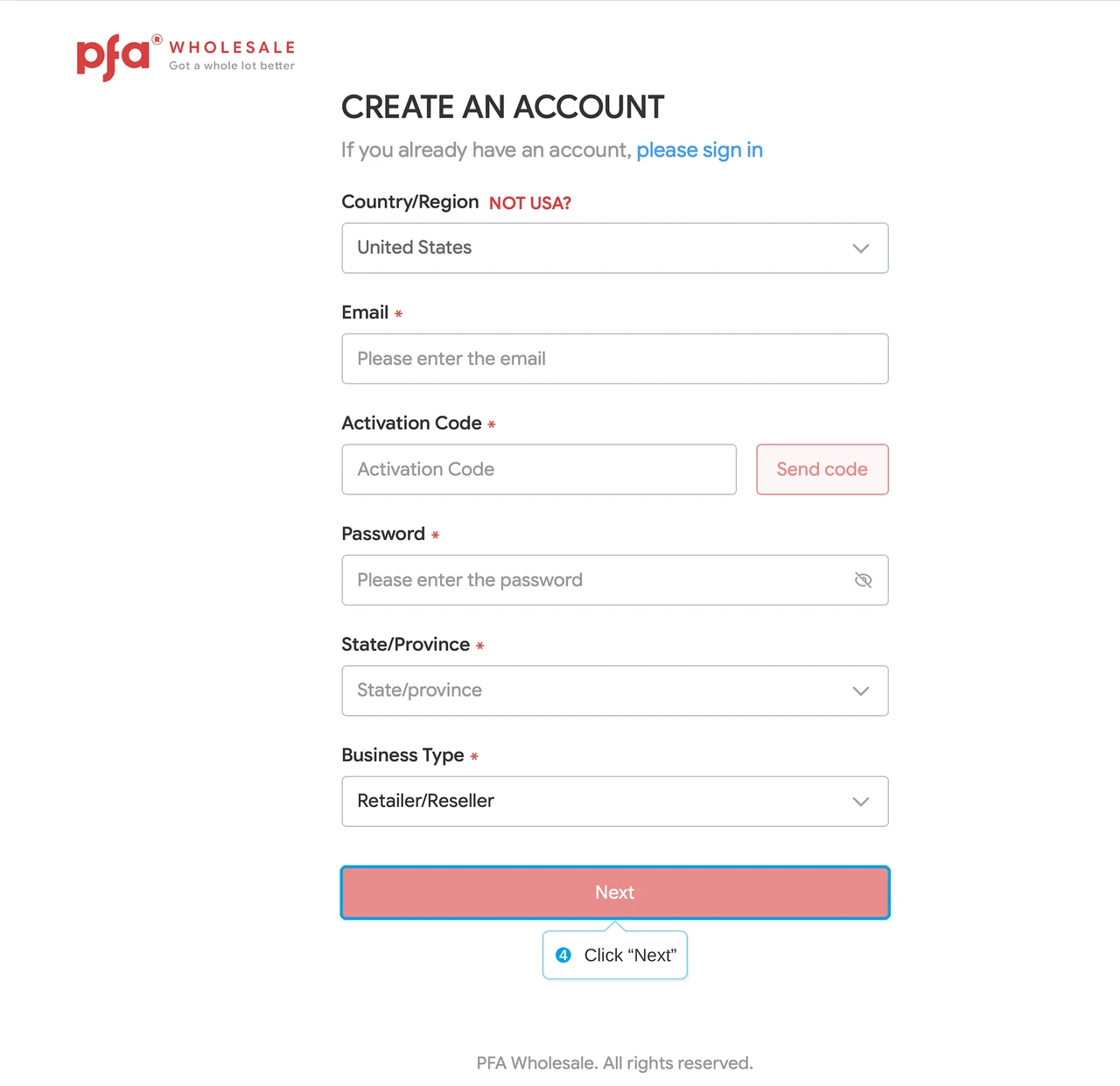
Fill in your details in this form (fields with an * are required), provide a valid email address. Once you receive the one-time verification code, enter it into the "Activation Code" field and finally submit the form.
Step 3: Complete Business Information and Register
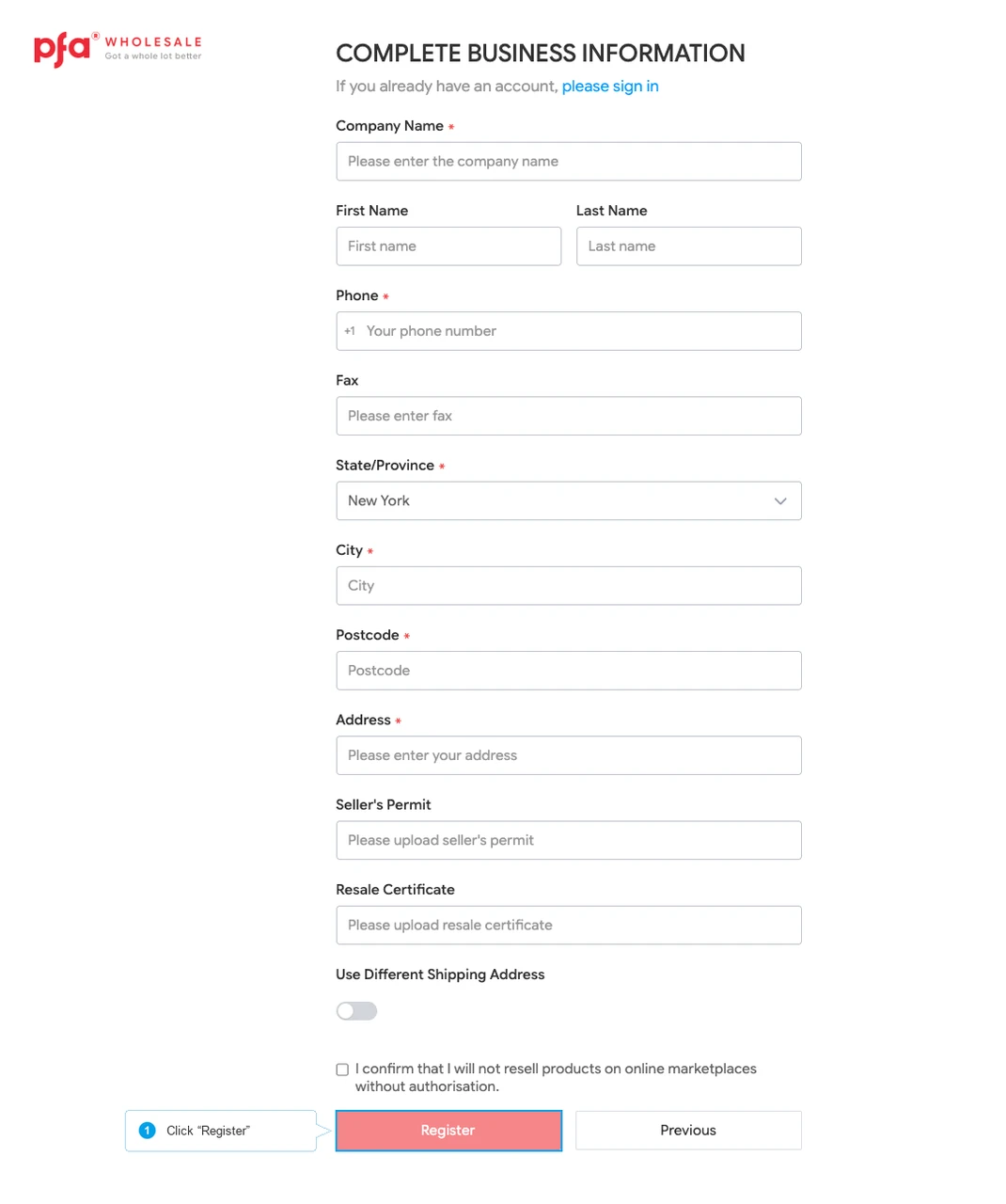
Continue providing all those necessary details (fields with an * are required), and then finish registering.
**Although it is not required, please upload any relevant documents in the “Resale Certificate” section, as this will help speed up the review process.**
Step 1: Adding Products to “Cart”
Hover your mouse over the product, and a floating window will appear. From the floating window on the homepage or other product listing pages, select the desired quantity and add to the shopping cart.
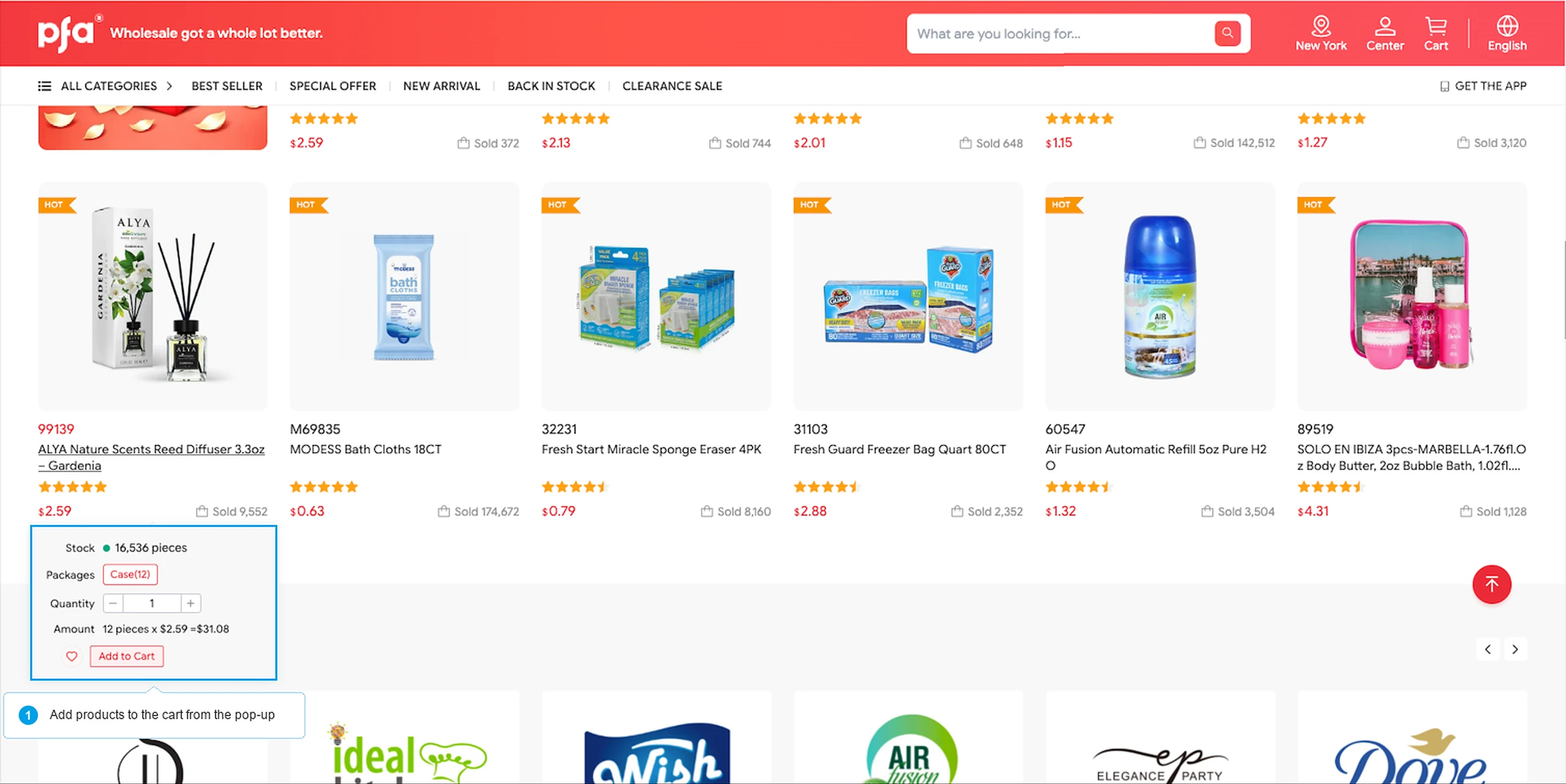
Or click on the list item and proceed in the pop-up window.
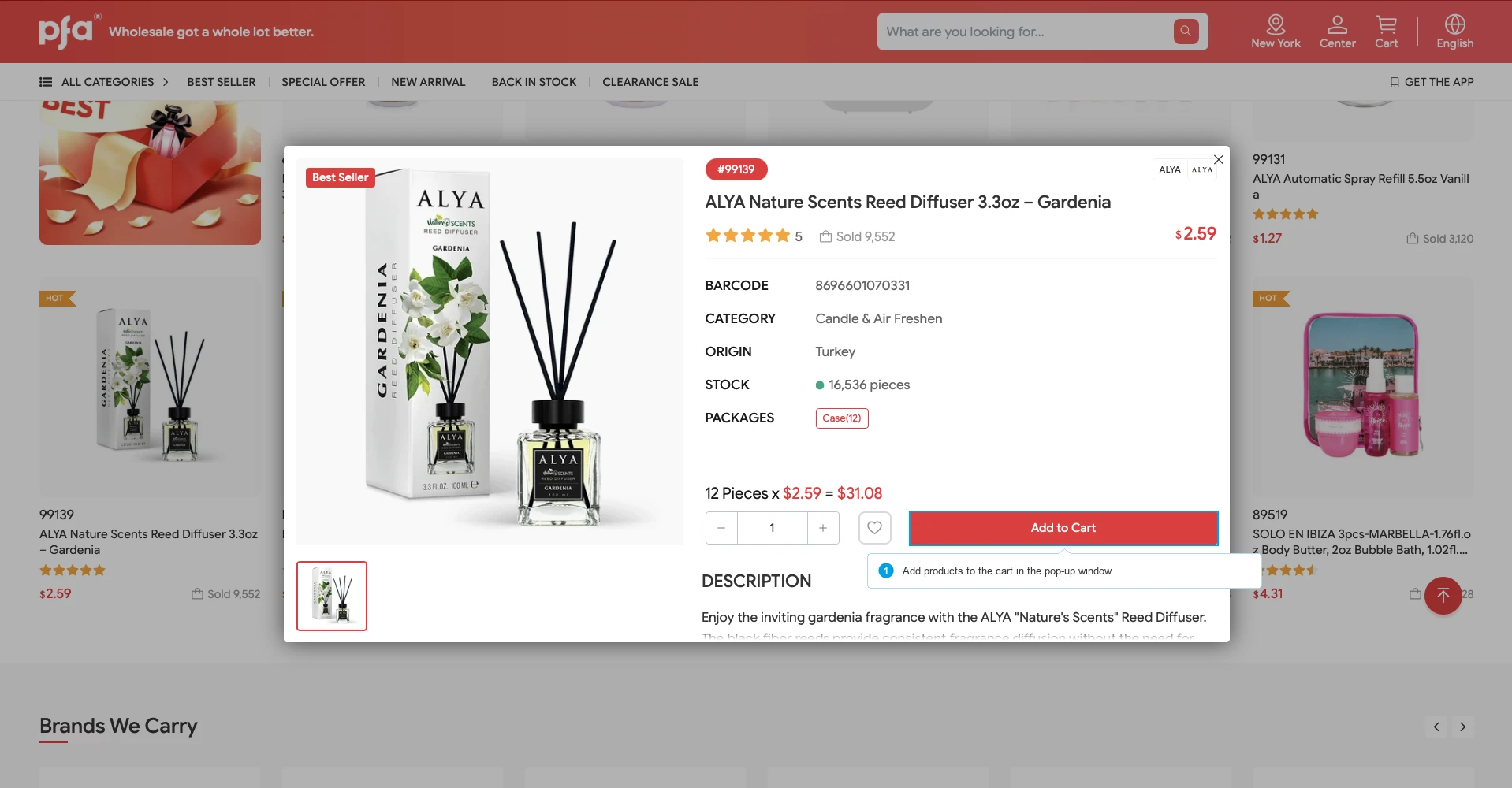
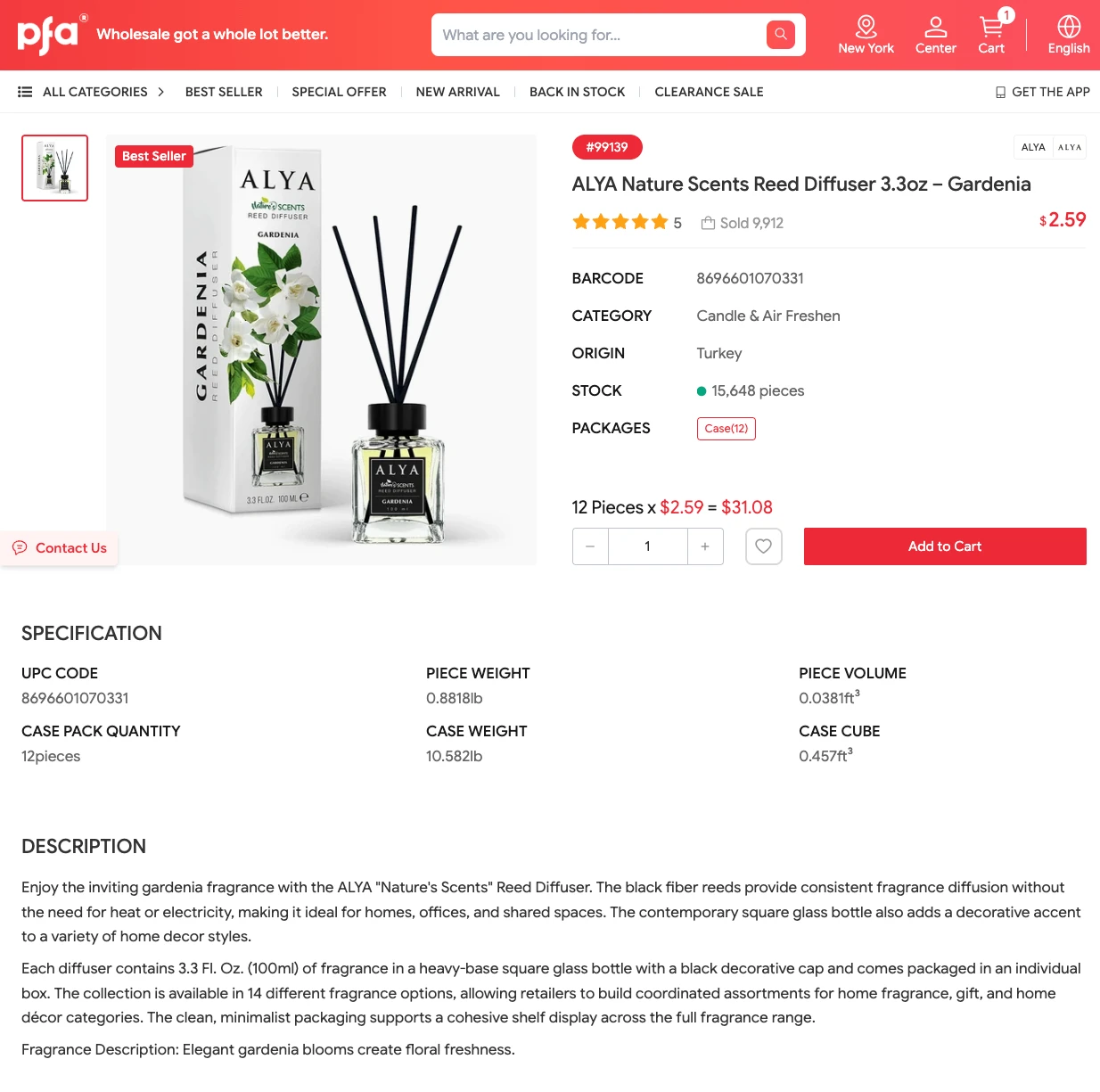
You can also click the product name, it will direct you to the product page with a more detailed product description.
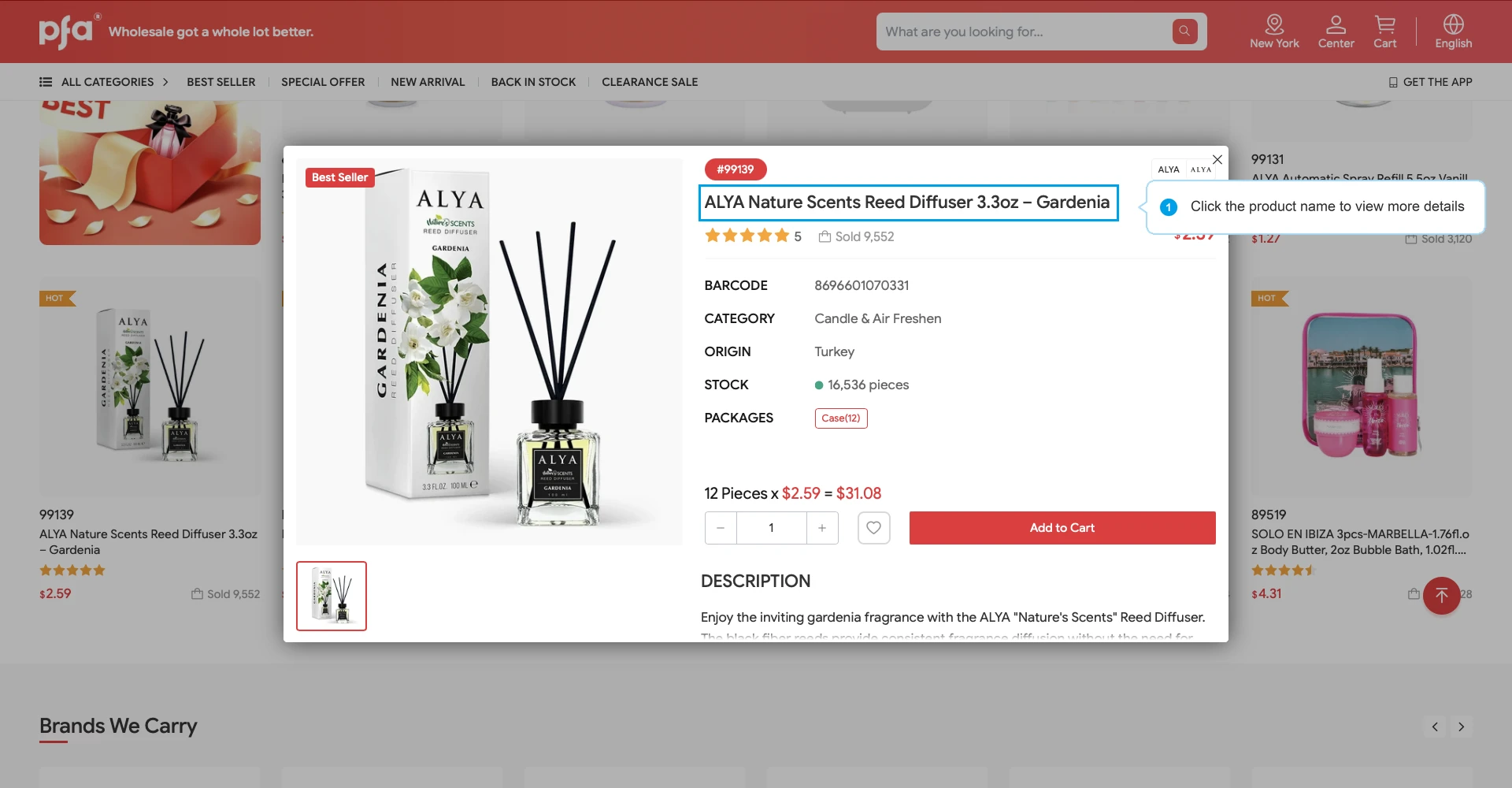
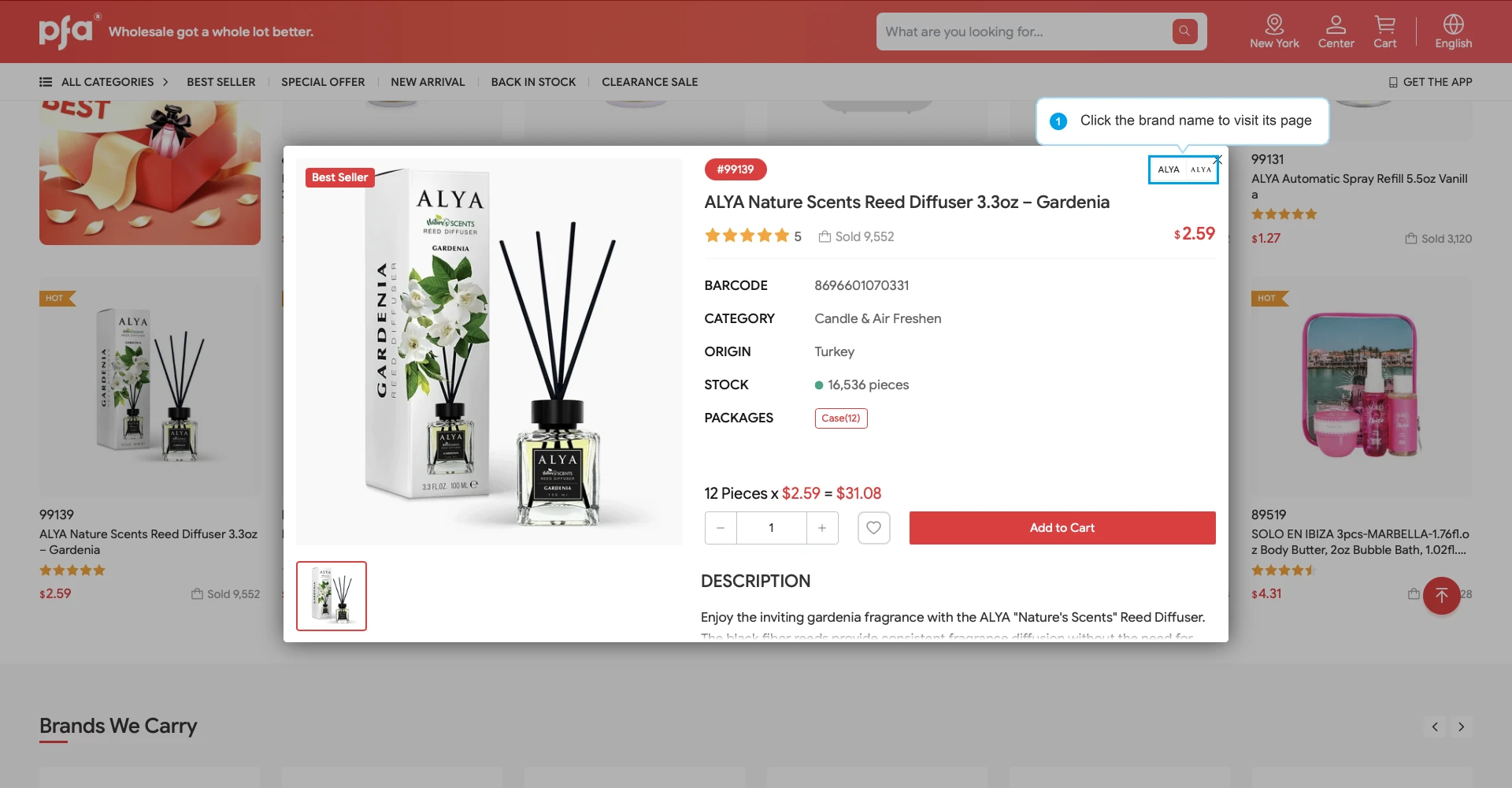
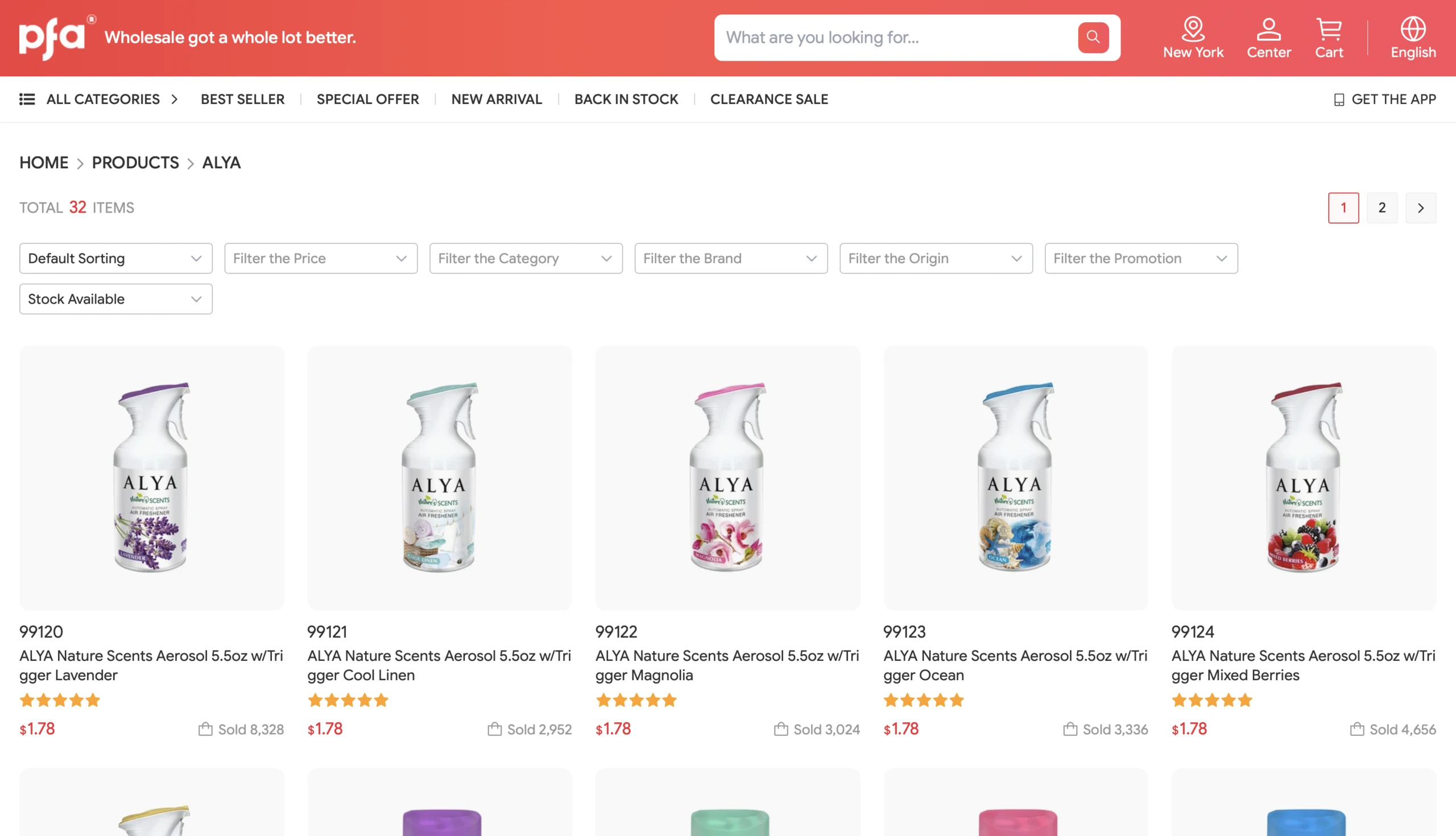
Click the brand name in the upper-right corner to go directly to the brand page.
Step 2: Proceed to Shopping Cart
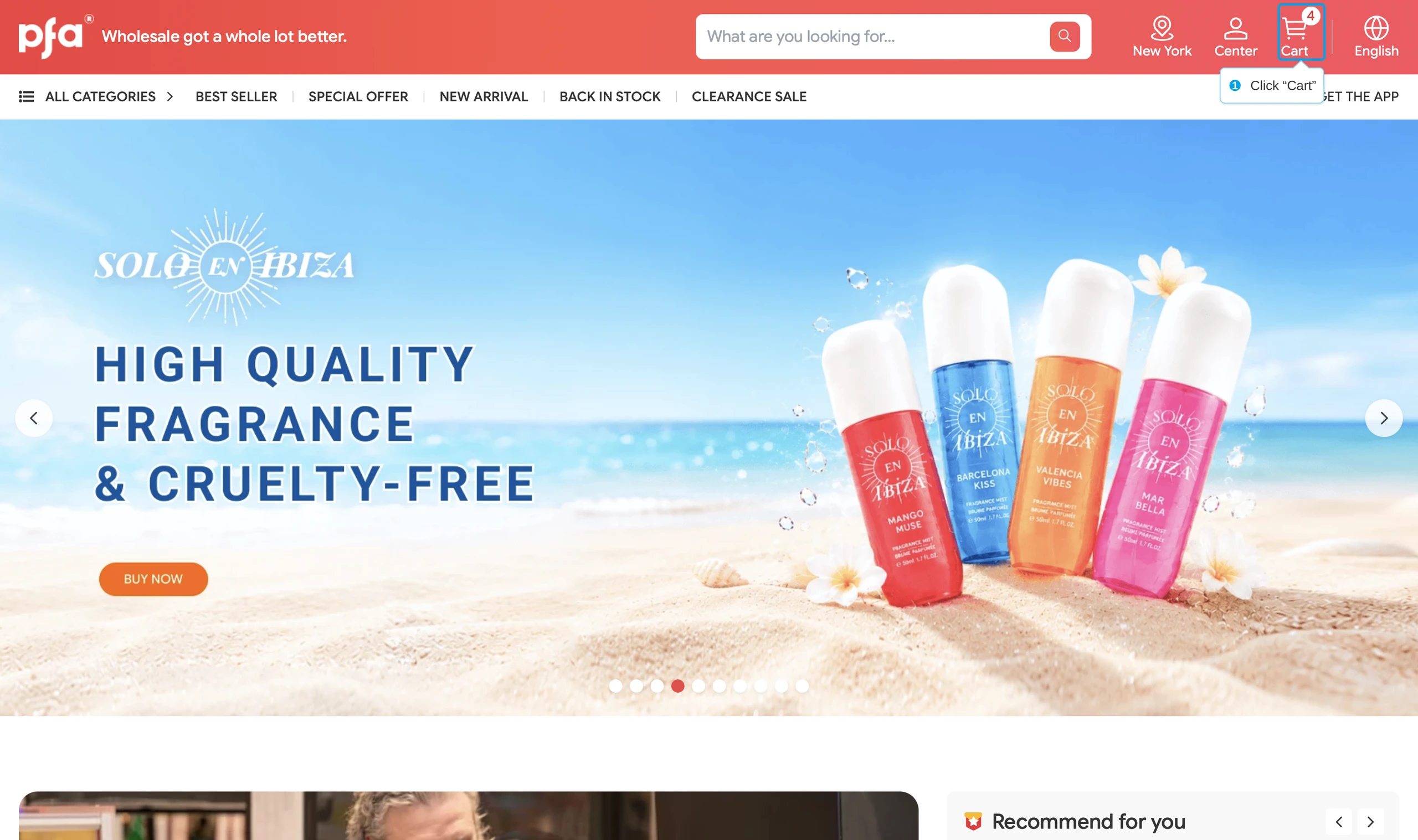
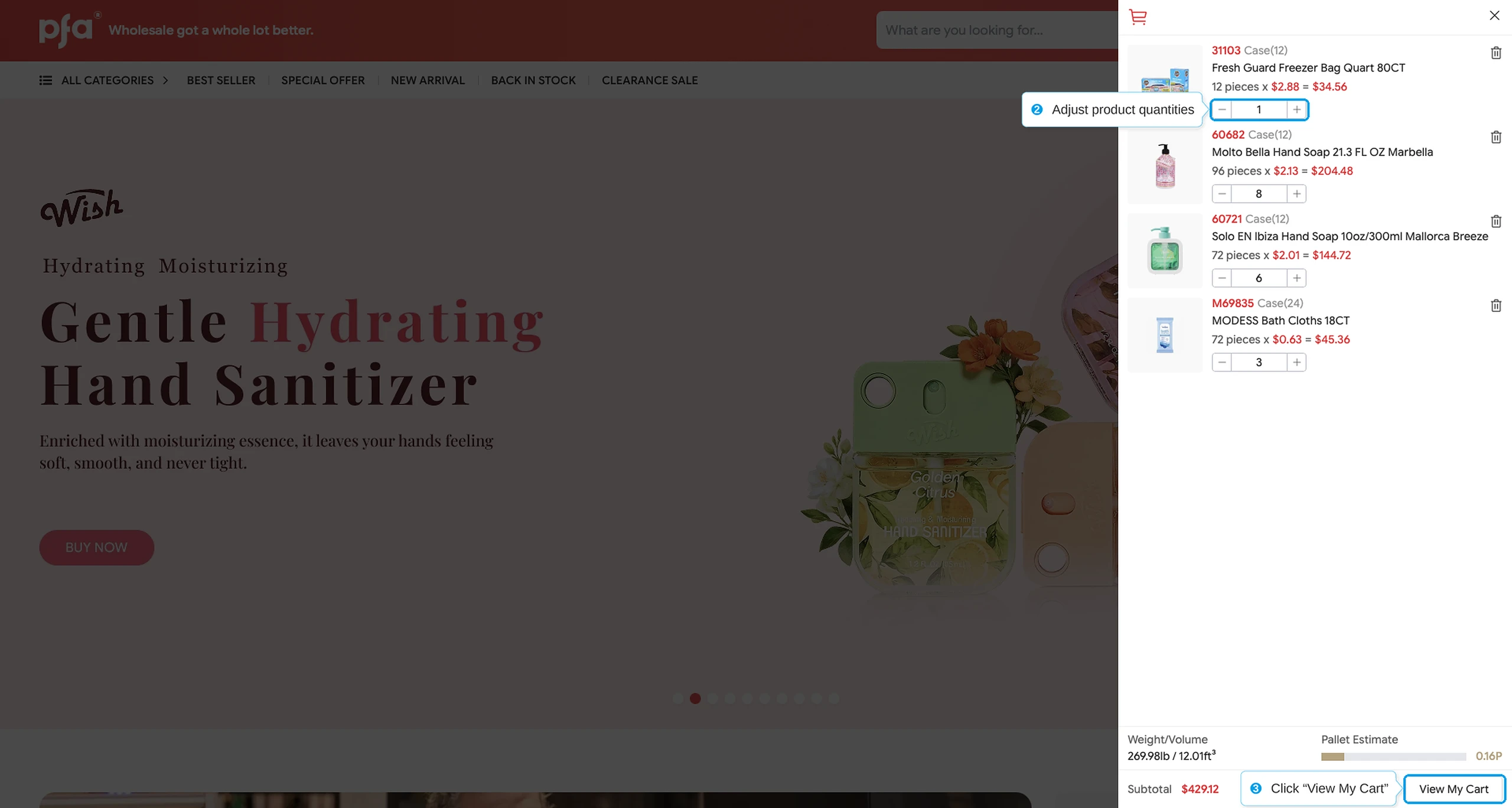
Step 3: Confirm your address and Checkout
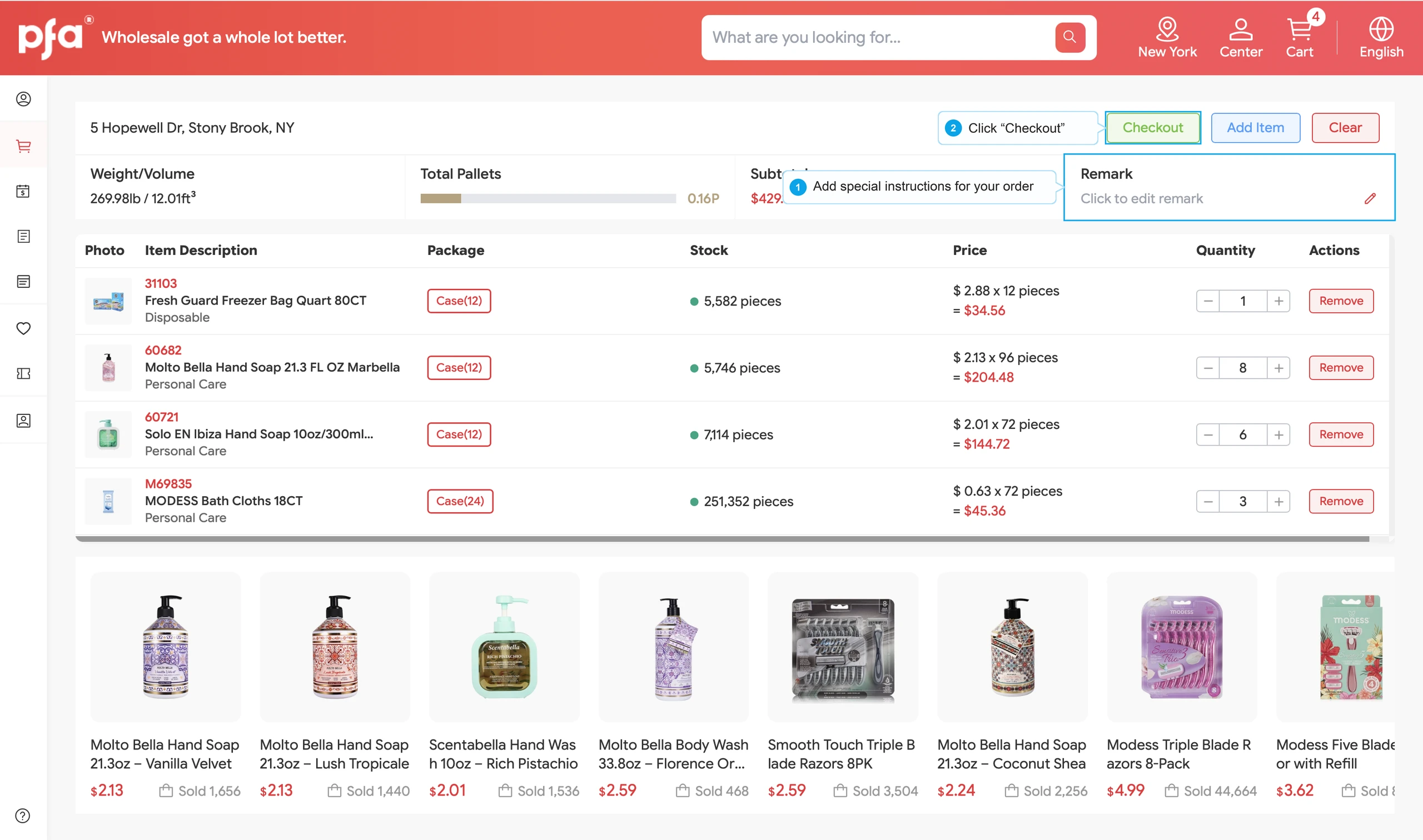
You can add a note in the "Remark" section to provide us with more detailed instructions.
After clicking “Checkout,” your default shipping address will be filled in automatically. You can review, confirm, or update the address before submitting your order.
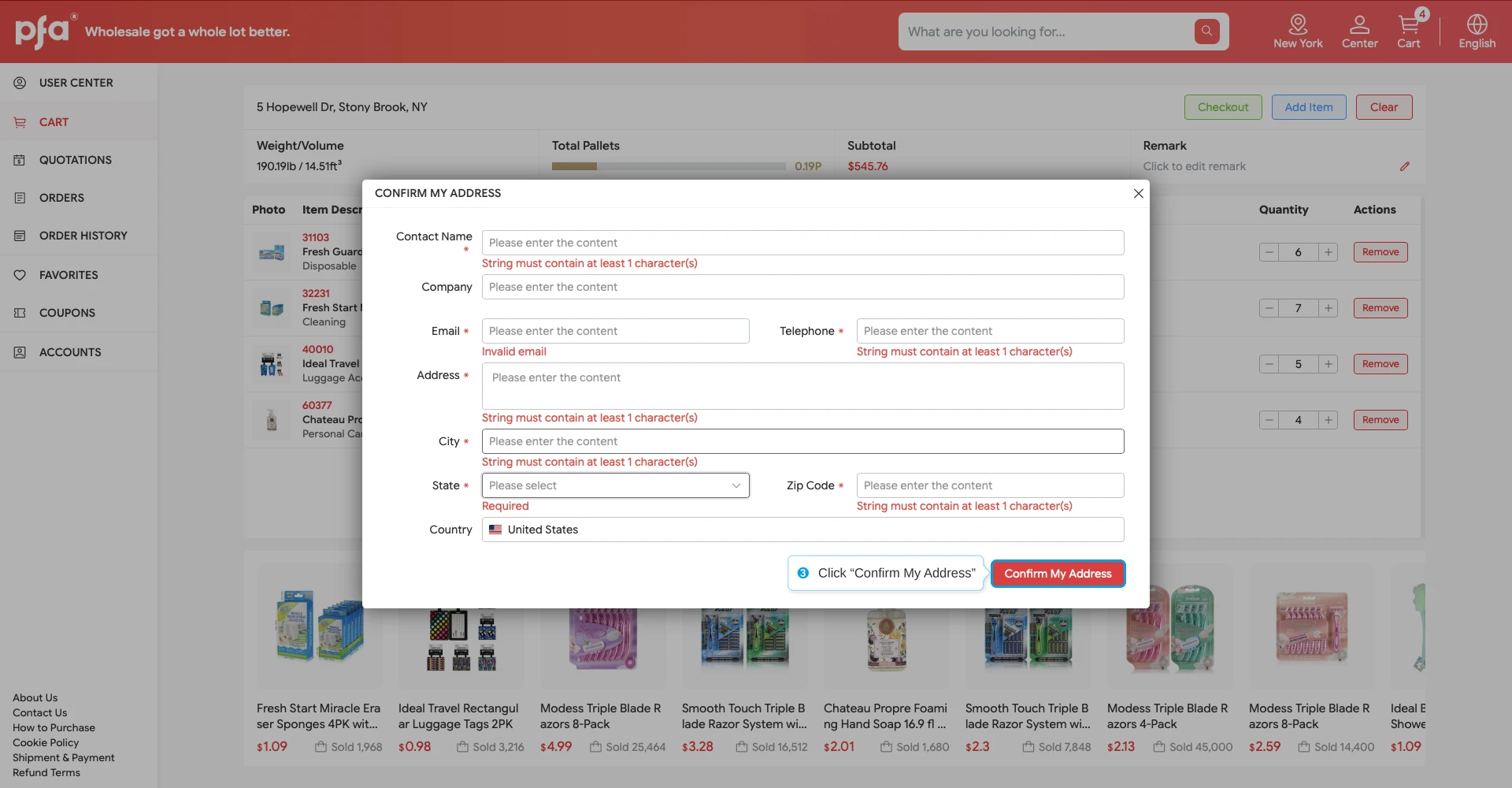
After clicking “Confirm My Address,” your order will be submitted.
Step 4: Checkout
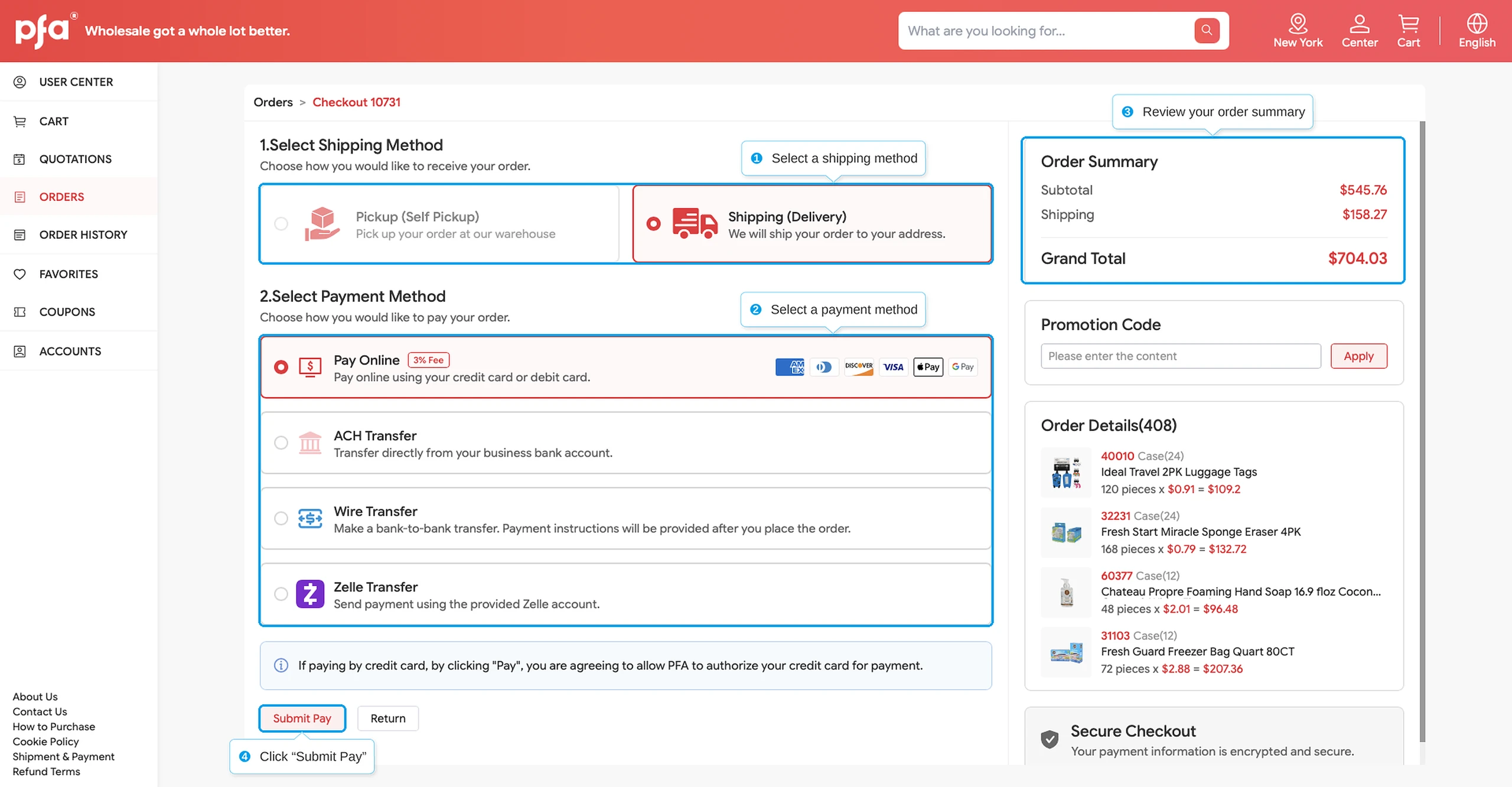
First, select your Shipping Method. Shipping is selected by default. We also offer Self Pickup, which allows you to avoid shipping fees.
Next, select your preferred payment method and complete the process to finish purchasing.
Please note that all online payments are subject to a 3% processing fee.
Your invoice will be available after checkout, and your packing list after shipment.
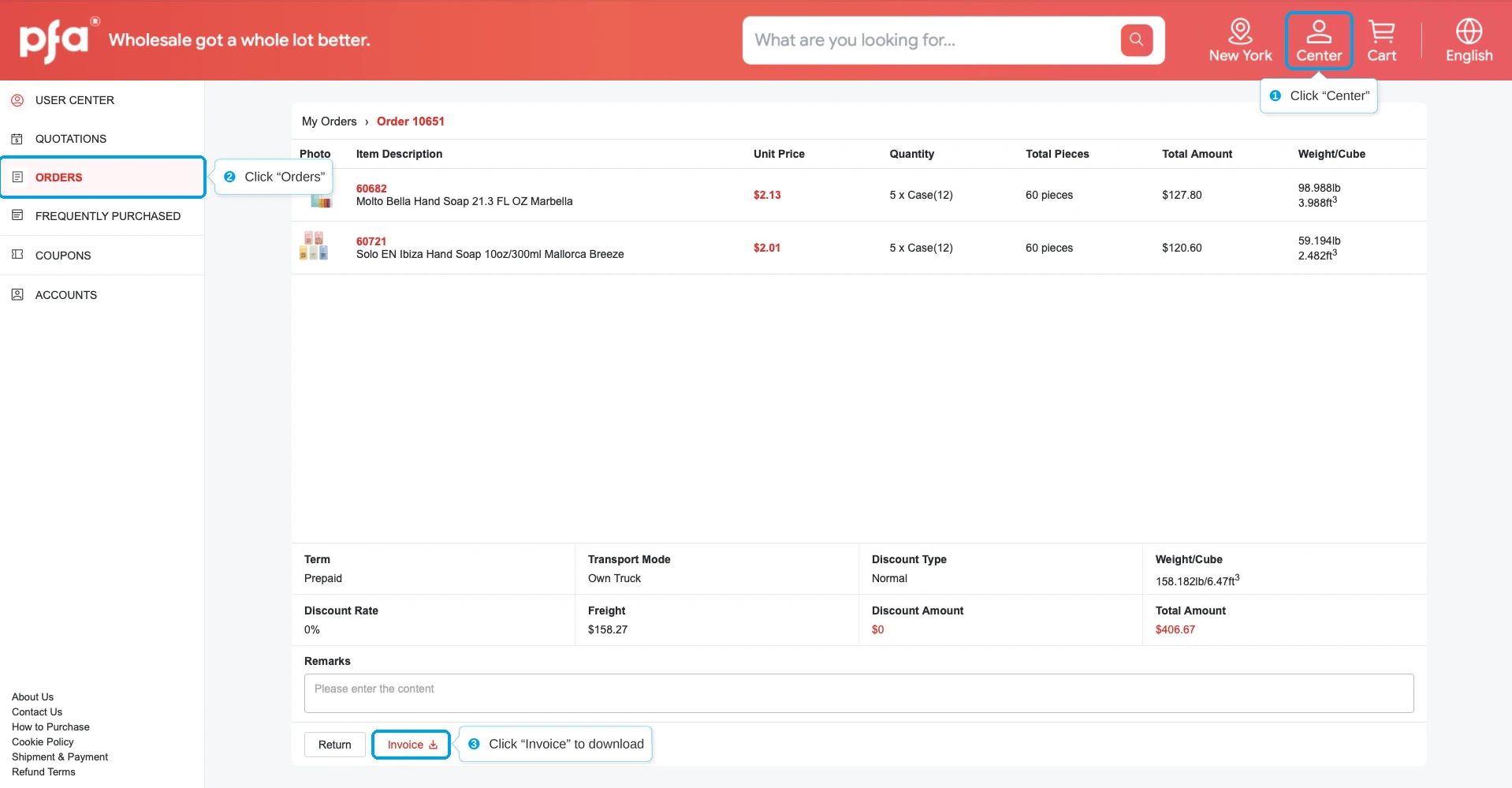
Step 1: Navigate to "Center"
Click “Center” in the upper-right corner of the page.
Select “ORDERS” in the sidebar on the left
You can download the invoice here.
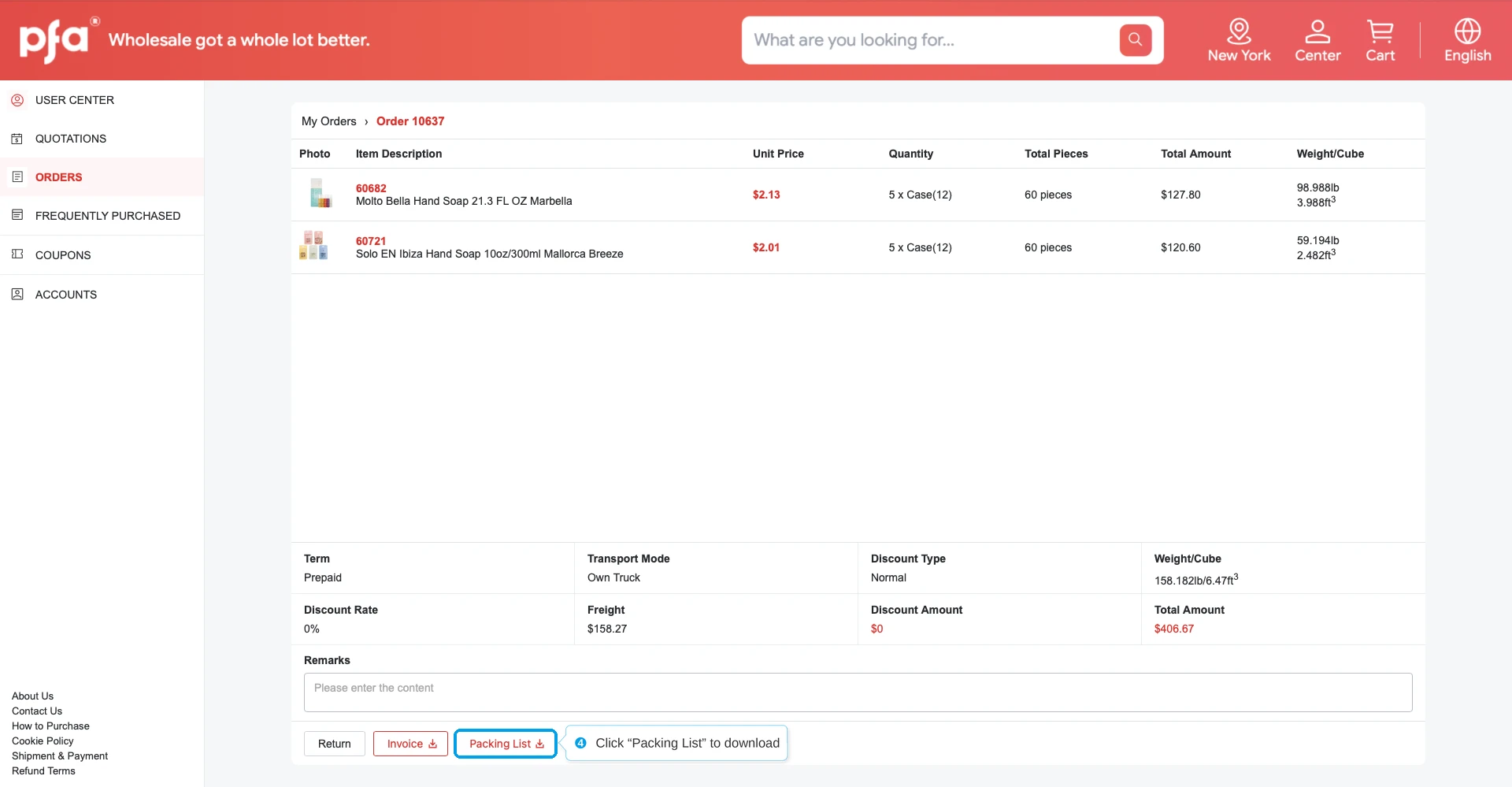
Step 2: Download Your Packing List
Once your order has shipped, a new option called “Packing List” will appear next to “Invoice.” You can download it to check which items and quantities were included in the shipment.
If you forget your password, you can recover your password using the email address you provided during registration.
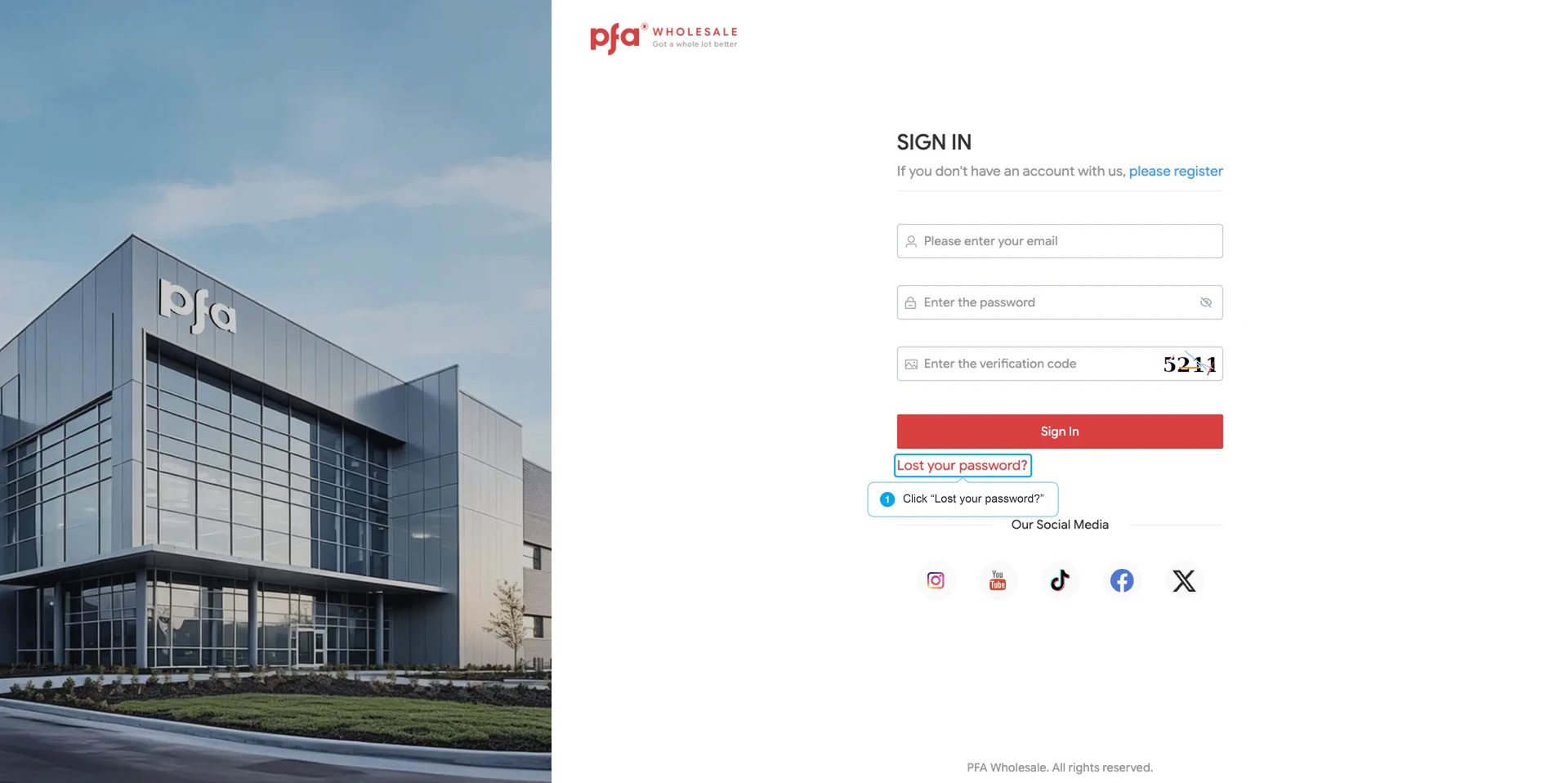
Step 1: Navigate to password recovery page.
Click on the "Sign In" button on the homepage to navigate to the login page, then click "Lost your password" to navigate to the password recovery page.
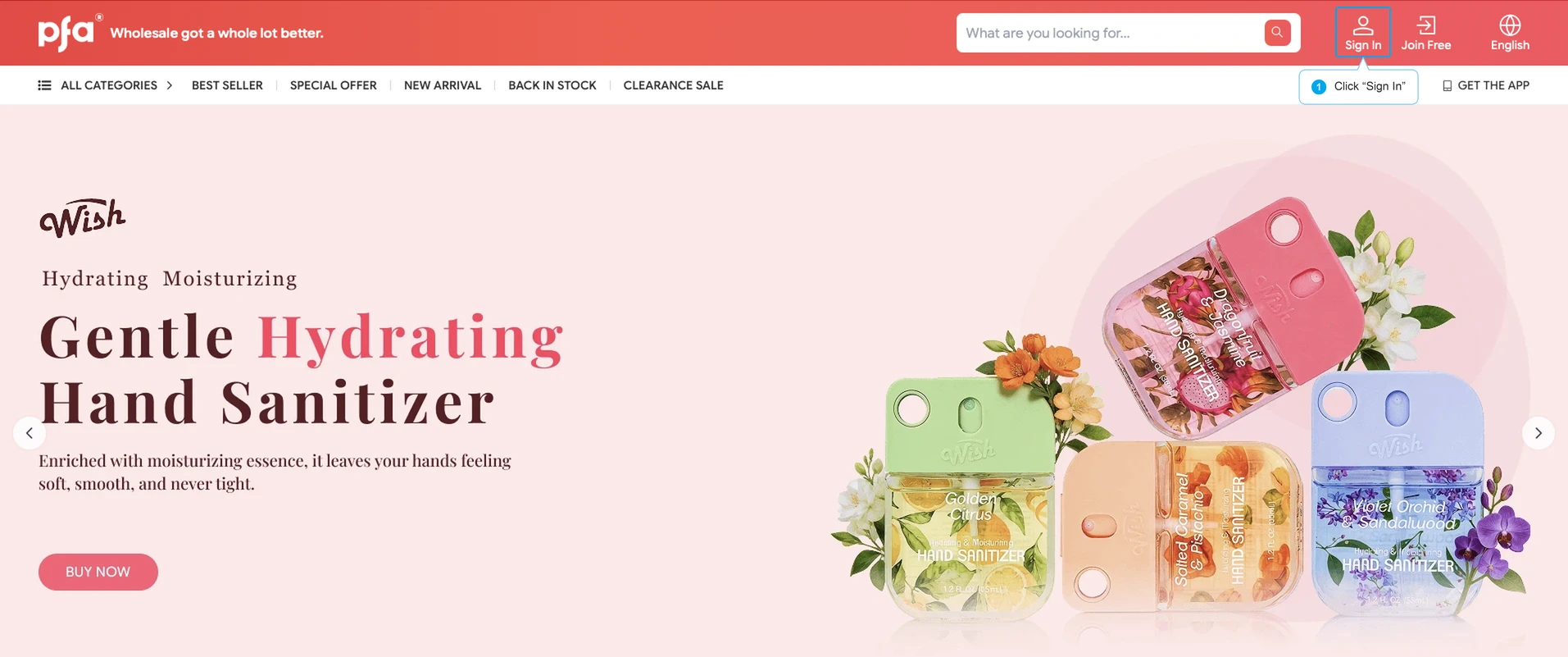
Click "Lost your password" to navigate to the password recovery page.
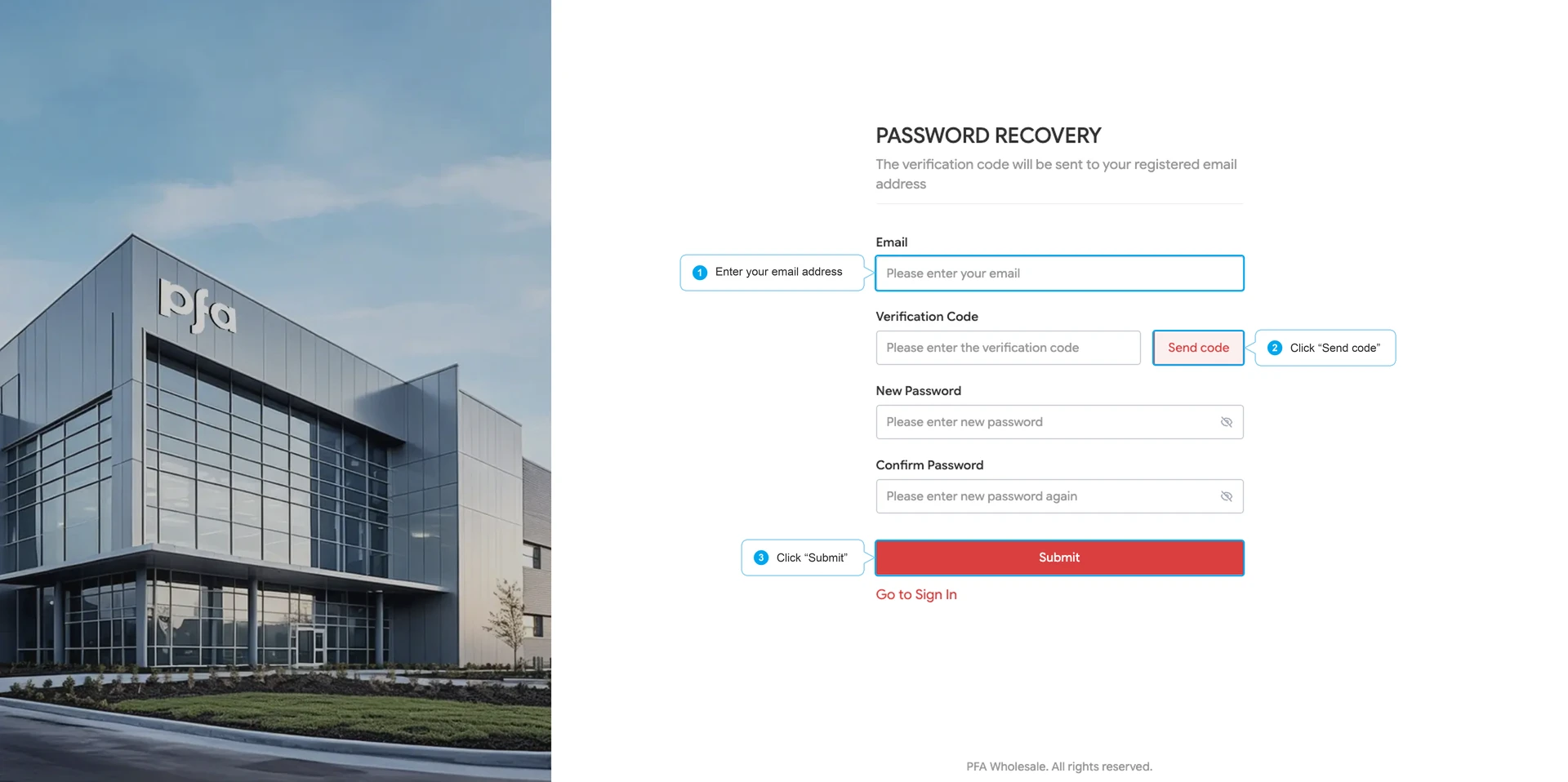
Step 2: Reset your password.
Enter the email address you used during registration and click "Send Code" to send a one-time verification code. Once you receive the code, you can enter a new password and submit the form to complete the password reset.
Contact Us


Service Policies
Get to know us